PDMP User Manual
PDMP User Manual
Authored by Albert Teoh
Email: albert.teoh AT csiro.au
Date: 21st December 2005
Contents
About
PDMP is a new application which makes use of the base classes of the
Psrchive library. Its purpose is to read in an archive and search a
specified range of barycentric period and DM to find values giving the
highest S/N ratio.
Input
One or more archives in either filterband, PSRFITS or CPSR2 format.
Output
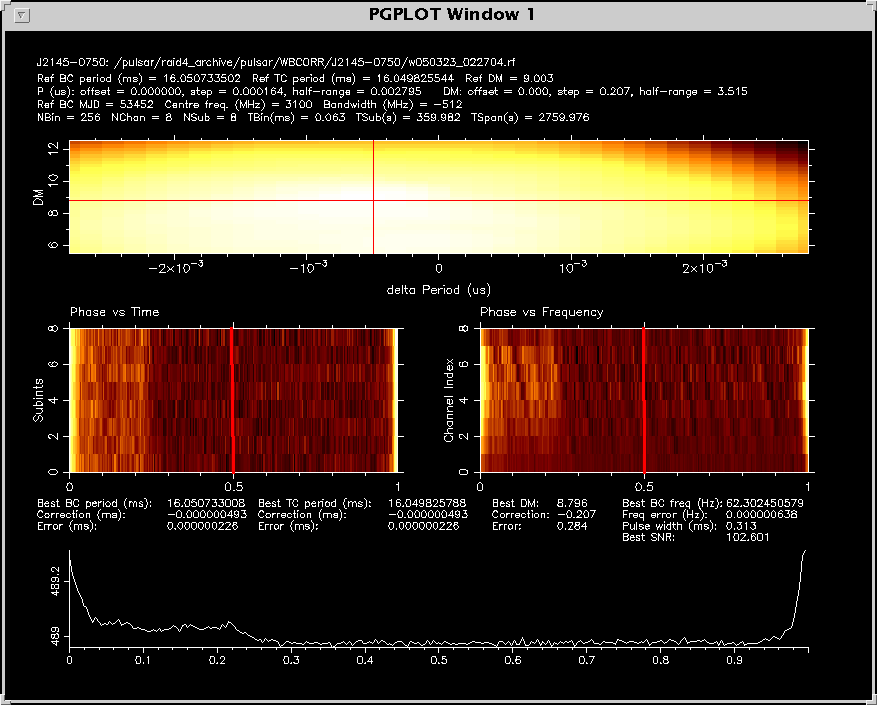
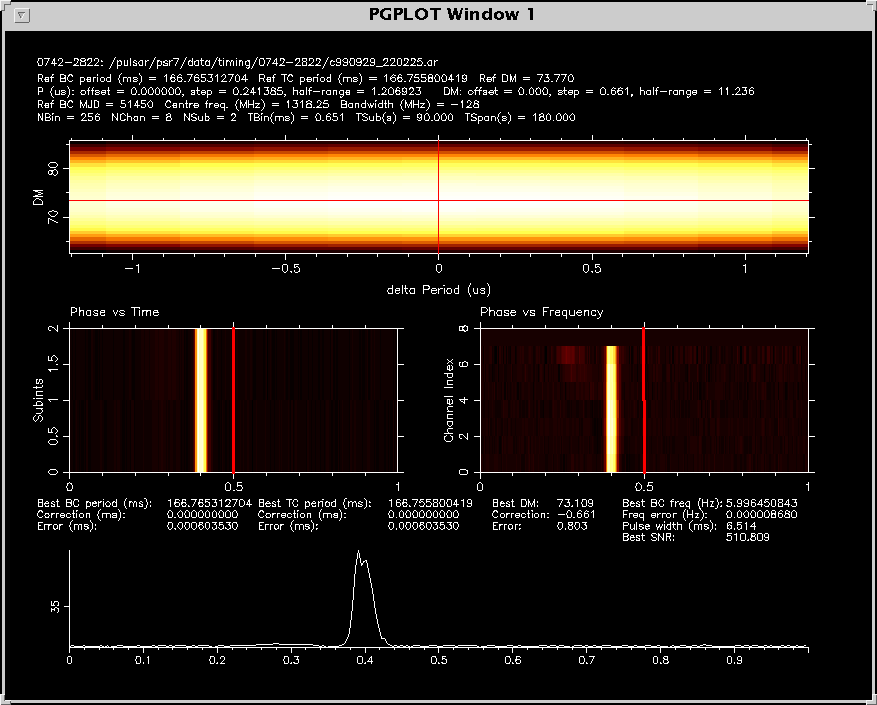
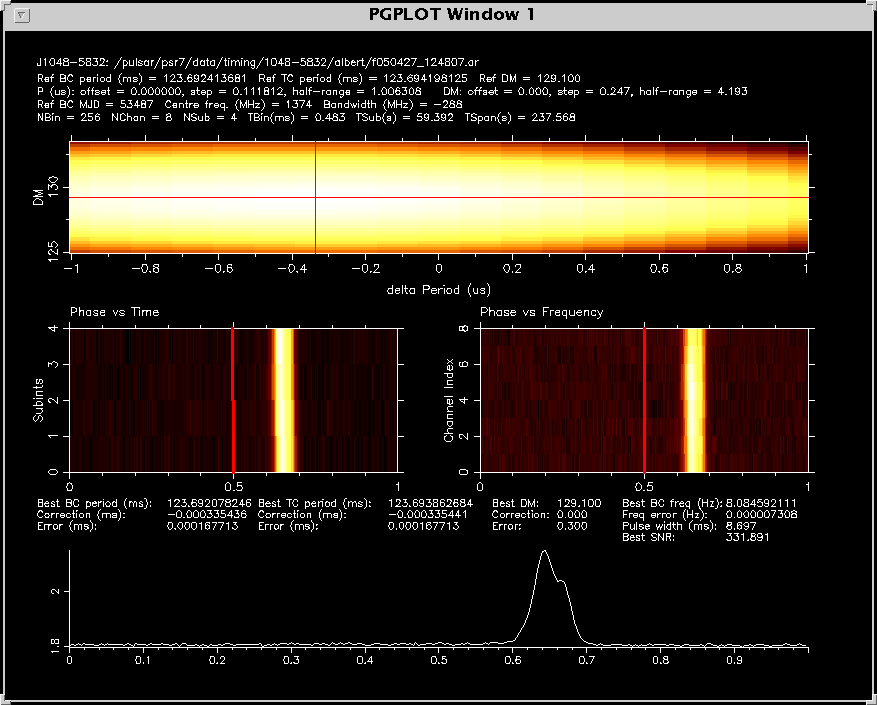
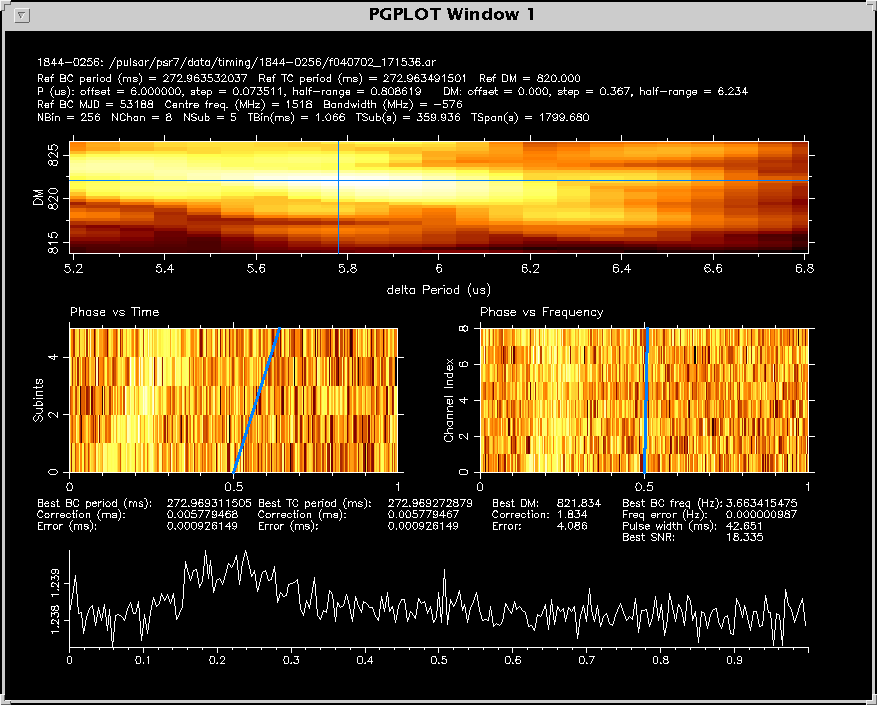
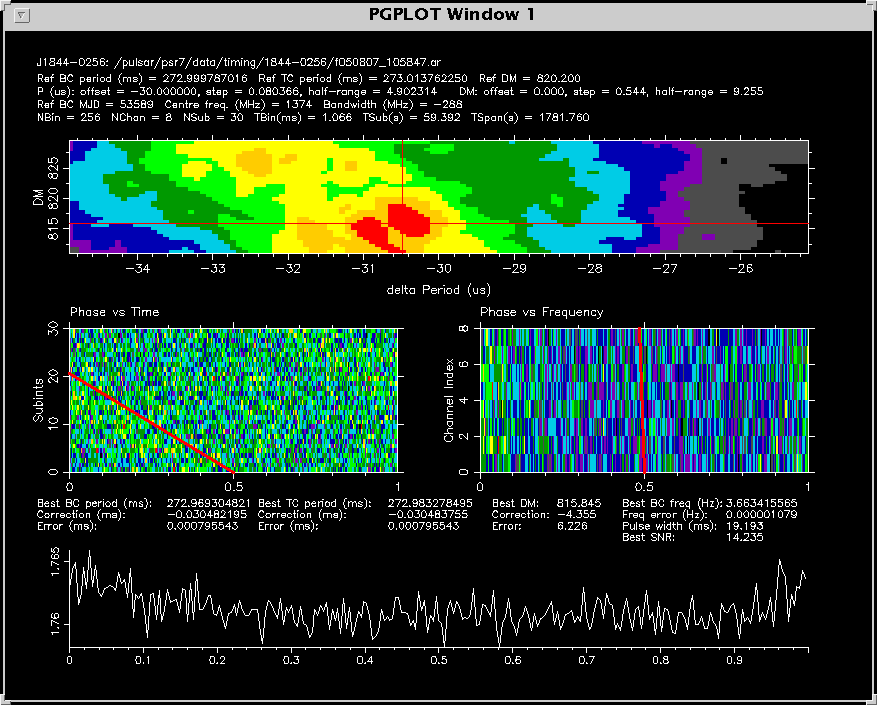
Graphical display of header parameters, phase-time plot, phase-frequency plot,
S/N as a function of delta P and delta DM, and best profile and corresponding
parameters.
Method
If the archive has polarisation data (npol > 1) use Stokes I for plots,
S/N calculation, etc.
Available options
Usage: pdmp [options] file1 [file2 ...]

Preprocessing options:
-do  [dm offset]               DM offset in pc/cm^3      (default=0)
-dr  [dm half-range]           DM half-range in pc/cm^3  (default=natural)
-ds  [dm step]                 DM step in pc/cm^3        (default=natural)
-f , --force                   Force the program to compute without prompting
-mc, --maxchannels [max chan]  Archive frequency channels will be
                               partially scrunched to <= this maximum
                               before computing
-ms, --maxsubints [max subint] Archive subints will be
                               partially scrunched to <= this maximum
                               before computing
-po  [period offset]           Period offset in us       (default=0)
-pr  [period half-range]       Period half-range in us   (default=natural)
-ps  [period step]             Period step in us         (default=natural)
-s   [profile file]            Use [profile file] as a standard profile to
		                           compare with

Selection & configuration options:
-g [dev]                       Manually specify a plot device

Other plotting options:
-c [index]                     Select a colour map for PGIMAG style plots
                               The available indices are:
                                0 -> Greyscale
                                1 -> Inverse Greyscale
                                2 -> Heat (default)
                                3 -> Cold
                                4 -> Plasma
                                5 -> Forest
                                6 -> Alien Glow

Utility options:
-h                             Display this useful help page (most useful options)
--help                         Display a complete list of help options
-v                             Verbose output
-S                             Silent mode. Reduce text written to standard output.

Other plotting options:
-lc [index]                    Select the colour index for the line of best fit
			                         The available indices are:
			                          0 -> Black
			                          1 -> White
			                          2 -> Red (default)
			                          3 -> Lime green
			                          4 -> Navy blue
			                          5 -> Cyan
			                          6 -> Pink
			                          7 -> Yellow
			                          8 -> Orange
			                          9 -> Green
			                          10 -> Aqua green
			                          11 -> Blue
			                          12 -> Purple
			                          13 -> Pinkish red
			                          14 -> Dark grey
			                          15 -> Light grey
Examples
pdmp /pulsar/psr7/data/timing/0742-2822/c990929_220225.ar
pdmp /pulsar/psr7/data/timing/1048-5832/f050427_124807.ar
pdmp -lc 11 -po 6 /pulsar/psr7/data/timing/1844-0256/f040702_171536.ar
pdmp -po -30 /pulsar/psr7/data/timing/1844-0256/f050807_105847.ar

pdmp -c 6 -po -30 /pulsar/psr7/data/timing/1844-0256/f050807_105847.ar
pdmp /pulsar/psr7/data/timing/0437-4715/f050427_124807.ar
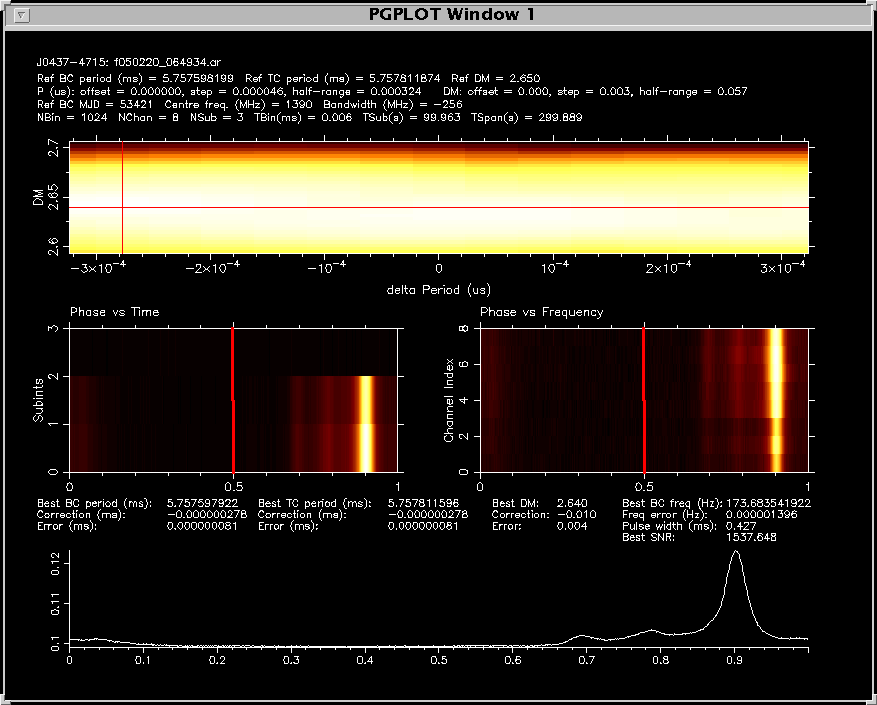
pdmp /pulsar/raid4_archive/pulsar/WBCORR/J2145-0750/w050323_022704.rf